
Browser guide
Run Claude Code in a browser tab.
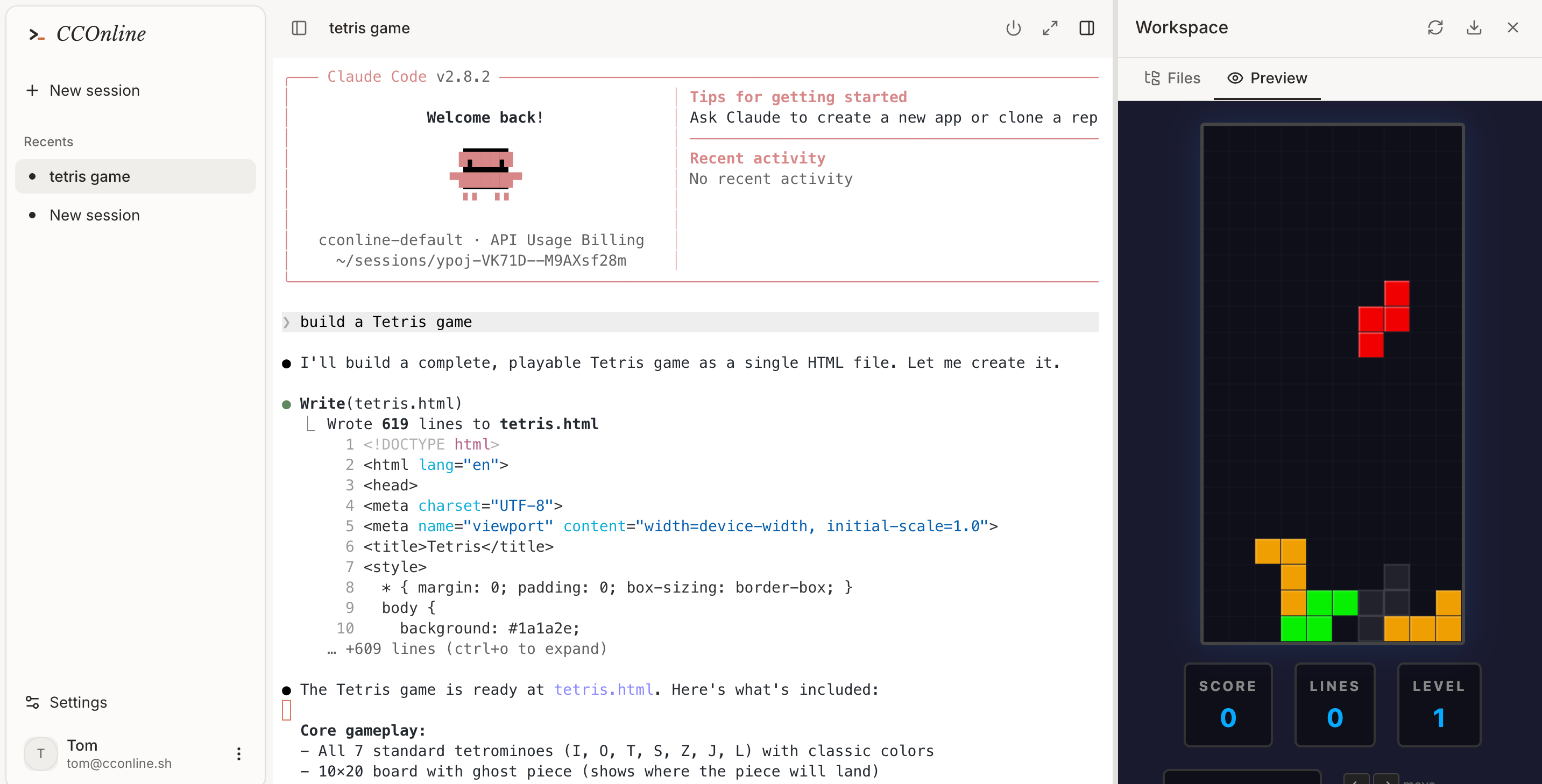
If your search is “how do I run Claude Code in browser?”, the answer is to move the development environment into a cloud sandbox and stream the coding loop back to the tab.
Use Claude Code from a tablet or Chromebook.
Avoid installing project dependencies on your main machine.
Start a clean coding environment for a one-off task.
Workflow
From prompt to tested code in one cloud session.
- 01
Sign in to CCOnline.
- 02
Create a browser workspace.
- 03
Ask Claude Code to inspect, edit, test, and preview your project.
- 04
Stop or resume the sandbox based on your workflow.
Browser workflow checklist
Common questions
Can Claude Code run fully in the browser?
The browser controls the session while Claude Code runs in the remote sandbox. That gives you browser access without limiting the agent to chat-only behavior.
Can I use it for real projects?
Yes. It is designed for real code edits, package installs, tests, and previews, while keeping the environment isolated.
What should I try first?
Start with a small bug fix, component build, or test-writing task so you can verify the full loop quickly.