
Claude Code Web
A web workspace for the full Claude Code development loop.
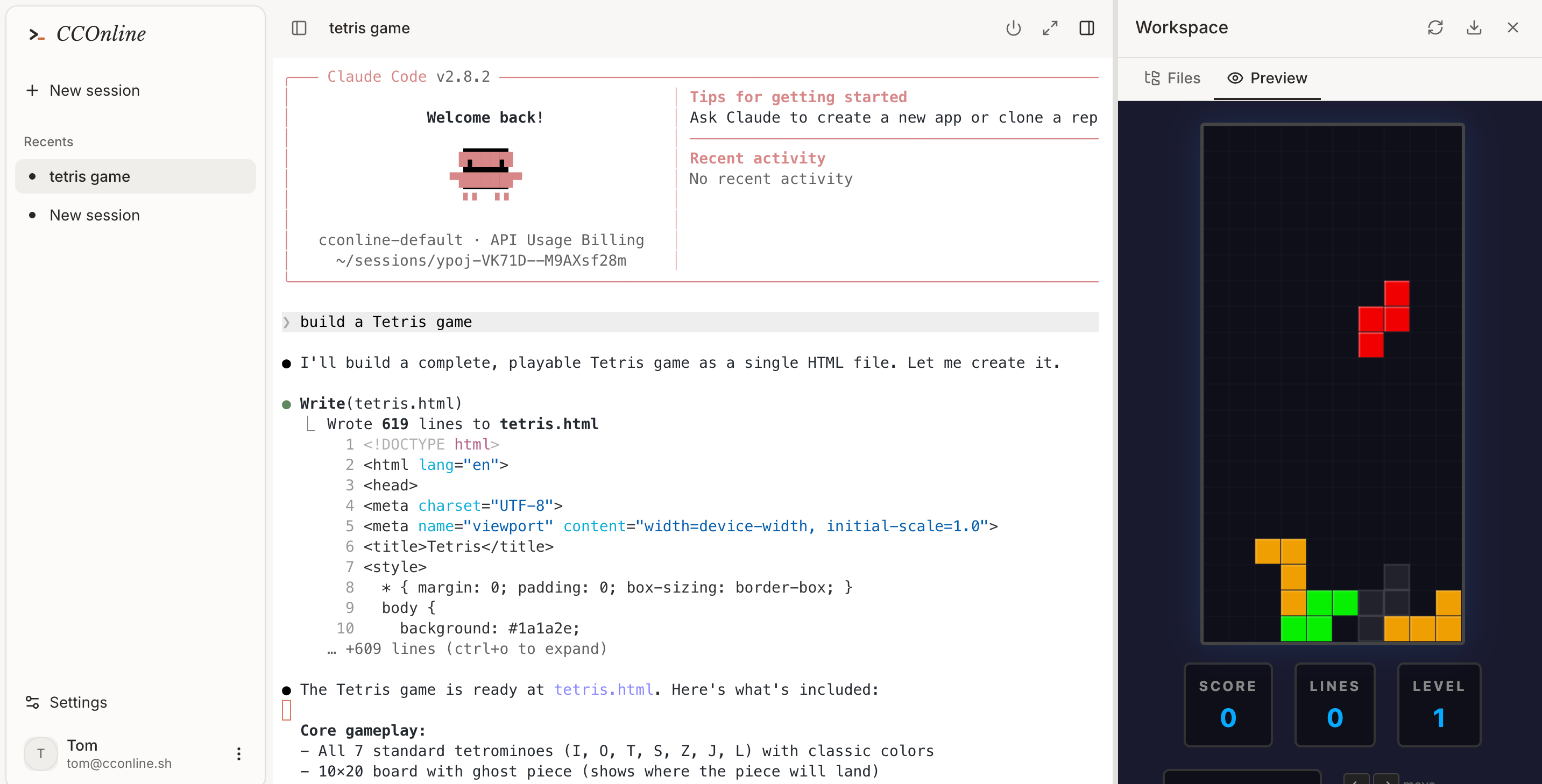
Use CCOnline when you want Claude Code in a browser tab instead of a local terminal. The workspace keeps the agent, shell, files, and preview close together so you can move from prompt to tested code faster.
Run coding tasks while your main development machine is unavailable.
Let Claude Code install dependencies and run tests inside a disposable environment.
Keep the terminal, file tree, and app preview in one browser workspace.
Workflow
From prompt to tested code in one cloud session.
- 01
Create a web workspace.
- 02
Start with a prompt, repo, or blank project.
- 03
Review terminal actions, generated files, and app previews.
- 04
Continue the same session when you come back.
Why use Claude Code from the web?
Is CCOnline a Claude Code web alternative?
CCOnline is a browser-based workspace for running Claude Code in a cloud sandbox with terminal, files, and previews.
Can it run tests and install packages?
Yes. The sandbox includes a real shell and common development tooling, so Claude Code can execute commands as part of the coding loop.
Who is it for?
Developers who want a fast browser workspace for prototypes, bug fixes, demos, and tasks that should not depend on local setup.